OVPN File: What It Is, How to Open It, and How to Use It
Learn what an OVPN file contains, how to import it into OpenVPN, and how to get a configuration profile safely.
An OVPN file is a text-based configuration profile used by OpenVPN software to connect to a particular VPN server. To use one, install a compatible OpenVPN client, import the profile, and enter any username or password the service requires. The file tells the client how to establish the connection. It does not provide the VPN app or necessarily include your account credentials.
Editor's pick: NordVPN — fast, secure VPN — Strong encryption, a no-logs policy and apps for every device. 30-day money-back guarantee. Get NordVPN →
Common ways to open and use an OVPN file
| Option | What you need | How it works | Best for | Considerations |
|---|---|---|---|---|
| OpenVPN Connect | App and OVPN file | Import the file, then connect | Most users | Use a profile from a trusted provider |
| OpenVPN Community client | Client software and OVPN file | Load the profile and connect | Users who prefer the open-source client | Setup can involve extra steps |
| VPN provider’s app | Provider account and app | Select a server in the app | Users who want simpler setup | May not accept standalone OVPN files |
| Router with OpenVPN support | Compatible router and profile | Add the profile in router settings | Connecting multiple devices | Router features vary |
| Manual text editor | Any plain-text editor | View or edit configuration directives | Inspecting a profile | Editing can break the connection |
| Mobile device | Compatible VPN app and profile | Import the file into the app | Phone or tablet connections | Import steps vary by app |
Compiled November 2026; check the provider's site for current details.
| VPN | Obfuscation | From / month | Plan | Free plan | Refund | Alipay | UnionPay | Crypto | Website opens in China | Trustpilot | |
|---|---|---|---|---|---|---|---|---|---|---|---|
 ZoogVPN | Turn on manually Shadow | $2.49/mo | 27 months: $59.99 | Yes | 7 days | ✓ | ✓ | ✓ | ✓ | Official site blocked; our special link opens (4.4 s) | 4.2/5 (195 reviews) |
 NordVPN | Turn on manually Obfuscated Servers / NordWhisper | $3.49/mo | 27 months: $94.23 | No | 30 days | ? | ✗ | ✓ | ✓ | ✗ Blocked | 4.2/5 (51,628 reviews) |
 ExpressVPN | ✓ On by default all servers | $3.00/mo | 28 months: $84 | No | 30 days | ✗ | ✗ | ✓ | ✗ | ✗ Blocked | 4.4/5 (29,706 reviews) |
 Surfshark | ✓ On by default Camouflage, with OpenVPN | See site | See site | No | 30 days | ✗ | ✗ | ✗ | ✓ | ✗ Blocked | 4.3/5 (31,823 reviews) |
 Proton VPN | Turn on manually Stealth, free plan too | $2.99/mo | 12 months: $35.88 | Yes | 30 days | ✗ | ✗ | ✗ | ✓ | ✗ Blocked | 2.1/5 (1,040 reviews) |
 Astrill VPN | Turn on manually StealthVPN / OpenWeb | $12.50/mo | 24 months: $300 | No | See site | ✗ | ✗ | ✗ | ✓ | ✗ Blocked | 1.3/5 (110 reviews) |
 Private Internet Access | Turn on manually Shadowsocks, OpenVPN only | $2.03/mo | 40 months: $81.2 | No | 30 days | ✗ | ✗ | ✗ | ✗ | ✗ Blocked | 4.2/5 (11,033 reviews) |
 CyberGhost | Turn on manually selected servers | $2.19/mo | 28 months: $61.32 | No | 45 days | ✗ | ✗ | ✗ | ✓ | ✗ Blocked | 4.0/5 (24,178 reviews) |
 PureVPN | Turn on manually switch to OpenVPN | $1.69/mo | 60 months: $101.55 | No | 31 days | ? | ? | ✗ | ✓ | ✗ Blocked | 4.4/5 (17,994 reviews) |
 AdGuard VPN | ✓ On by default TrustTunnel | $2.99/mo | 24 months: $71.76 | Yes | 30 days | ✓ | ✗ | ✓ | ✓ | Official site blocked; our special link opens (3.7 s) | 4.3/5 (290 reviews) |
 Mullvad | Turn on manually QUIC / Shadowsocks / LWO | $5.61/mo | €5/mo | No | 14 days | ✗ | ✗ | ✗ | ✓ | ✗ Blocked | 3.2/5 (192 reviews) |
 Windscribe | Turn on manually Stealth / WStunnel | $5.75/mo | 12 months: $69 | Yes | See site | ✗ | ✗ | ✗ | ✓ | ✗ Blocked | 4.7/5 (13,355 reviews) |
 StrongVPN | Turn on manually Scramble, OpenVPN TCP | See site | See site | No | 30 days | ✓ | ✗ | ✗ | ✗ | ✗ Blocked | 4.4/5 (2,695 reviews) |
 LightXtreme 闪连 | Not listed | $7.08/mo | 12 months: $84.99 | Yes | 30 days | ✓ | ✓ | ✓ | ✓ | ✓ Yes (3.5 s) | No page |
Prices checked 2026-11-10 on each vendor's pricing page (cheapest long plan, USD). Check the vendor's checkout for the final price.
Obfuscation checked 2026-11-14 on each vendor's site and help center: "on by default" = nothing to set; "turn on manually" = switch protocol or mode in settings; "not listed" = the vendor describes no obfuscation.
Payment methods checked 2026-11-10 on each vendor's payment pages: all 14 take cards and PayPal; ✗ = not listed, ? = the vendor's own pages disagree.
China access: whether the official website opens from mainland China networks (tests the website only, not the VPN connection). Last checked 2026-11-18 01:02 Beijing time.
Trustpilot score and review count checked 2026-11-10.
What is an OVPN file?
The “.ovpn” extension identifies a configuration file for an OpenVPN connection. It contains connection settings that tell an OpenVPN client where and how to connect. Depending on how it was created, the file may also include certificates or other security-related information.
A profile can include items such as:
- A server address and connection port
- The protocol and encryption-related settings
- Instructions for using certificates or keys
- Authentication requirements
Some configuration profiles refer to separate certificate or key files instead of containing all required data themselves. Follow the instructions from the provider or administrator who gave you the profile.
An OVPN file is not a VPN service by itself. It does not automatically create an account, choose a provider, or guarantee that the server is trustworthy. The server and profile source matter. .Ovpn File: What It Is, How to Open It, and Where to Get One
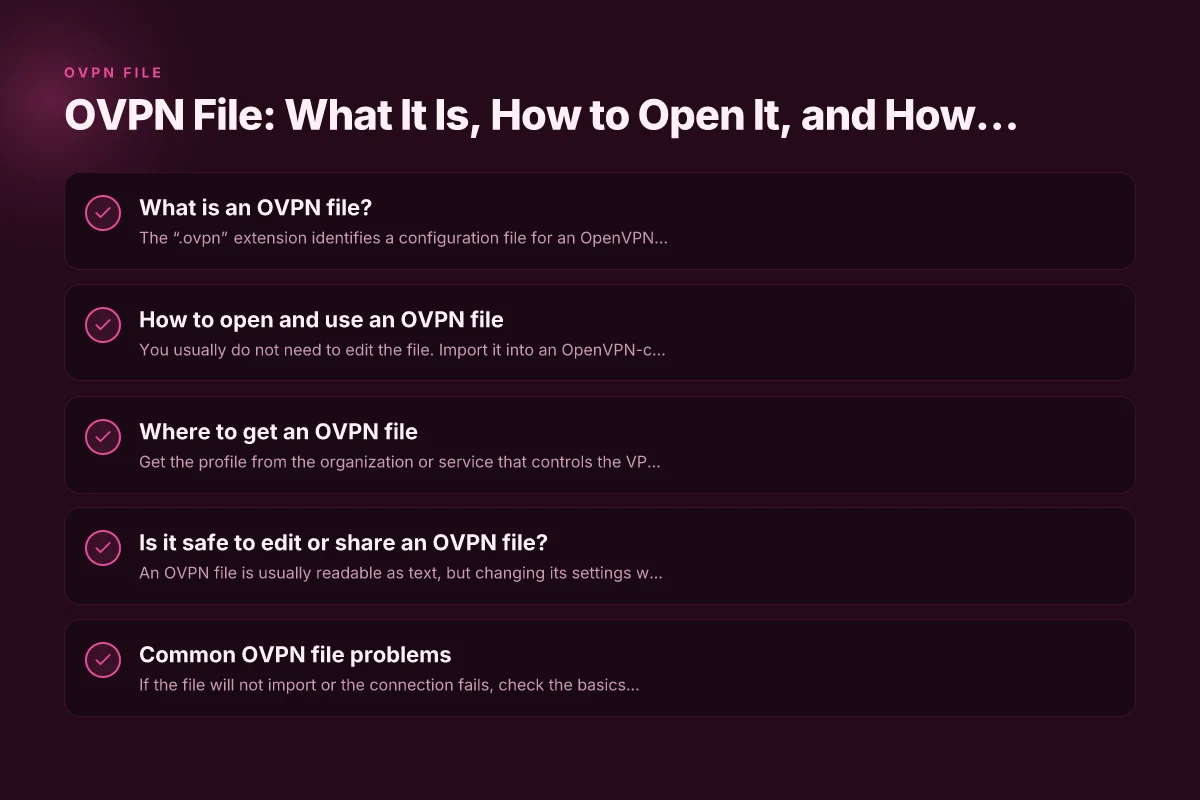
How to open and use an OVPN file
You usually do not need to edit the file. Import it into an OpenVPN-compatible app, then connect using the profile.
Typical setup
- Obtain the OVPN file from your VPN provider, workplace, school, or server administrator.
- Install a compatible OpenVPN client for your device.
- Open the client and choose its option to import or add a profile.
- Select the OVPN file. If the profile depends on separate files, keep them together and follow the supplied instructions.
- Enter your username and password if prompted.
- Select the imported profile and connect.
The exact labels and steps vary by app and operating system. OpenVPN configuration samples use names such as server.conf and client.conf on Linux, BSD, and other Unix-like systems. On Windows, sample files are named server.ovpn and client.ovpn.
| File or item | What it does | What to do with it |
|---|---|---|
.ovpn profile |
Specifies how the client should connect | Import it into a compatible OpenVPN client |
| Username and password | Authenticate you to a service when required | Enter them in the client or as instructed |
| Certificate or key file | Provides additional connection credentials when required | Keep it with the profile if the provider says it is needed |
| OpenVPN client app | Reads the profile and manages the connection | Install it separately |
Where to get an OVPN file
| Source | Trust level | Typical use | What to check | Recommendation |
|---|---|---|---|---|
| VPN provider’s official site | Higher when verified | Provider’s server configuration | Correct provider and server | Preferred source |
| Provider’s support team | Higher when contacted through official channels | Help finding a profile | Account and server details | Ask if the file is unclear |
| Employer or school IT team | Higher when independently verified | Organization VPN access | Device and access requirements | Use only for authorized access |
| Router or network administrator | Higher when independently verified | Managed network connection | Router compatibility | Follow their setup instructions |
| Public download site | Uncertain | Shared profiles | Publisher, contents, and current status | Avoid unless verified |
| Unknown person or forum post | Low or uncertain | Unverified connection settings | Source and configuration | Do not import without verification |
Compiled November 2026; check the provider's site for current details. VPN Extension for Edge: How to Choose and Use One
Where to get an OVPN file
Get the profile from the organization or service that controls the VPN connection. A commercial VPN provider typically supplies configuration files through its support pages or account instructions. For a private VPN, the server administrator may create and share a client profile.
There is no universal OVPN file that works with every server. A profile is configured for a particular server or service, and it may require an account or additional authentication details.
Be cautious with files found on public repositories, forums, or file-sharing sites. A profile may point to a server you do not trust, require credentials you were not given, or depend on other files. Only use a source you can verify, and do not submit your VPN password to an unfamiliar website. A profile from a third party is not automatically safe just because it has the .ovpn extension.
Is it safe to edit or share an OVPN file?
An OVPN file is usually readable as text, but changing its settings without understanding them can prevent a connection or alter where your traffic is routed. Avoid editing it unless your provider or administrator tells you what to change. How to Enable VPN in Edge: Turn On Microsoft Edge Secure Network
Treat the file as sensitive if it contains embedded certificates, keys, or other credentials. Share it only with people who are authorized to use the VPN. If you think a profile or its credentials have been exposed, contact the service administrator or provider for advice on replacing them.
Do not confuse opening a file with connecting to a VPN. A text editor can display the settings, but it does not establish a VPN connection. Use an OpenVPN client for that.
OVPN file risks and troubleshooting decisions
| Situation | Likely concern | Safe next step | Avoid |
|---|---|---|---|
| File came from an unknown source | Untrusted server or settings | Verify the source before importing | Connecting immediately |
| File contains certificates or keys | Sensitive authentication material | Keep it private and restrict access | Posting or emailing it publicly |
| Connection fails after editing | Invalid or incompatible directives | Restore the original and compare changes | Making repeated blind edits |
| App does not recognize the file | Client or import mismatch | Use a compatible OpenVPN client | Renaming it without checking contents |
| Server name cannot be resolved | Hostname or network issue | Check the profile and internet connection | Sharing credentials to troubleshoot |
| Certificate or authentication error | Expired, missing, or incorrect credentials | Request a current profile from the provider | Disabling security checks |
| Profile connects to an unexpected server | Incorrect or altered configuration | Disconnect and verify the source and endpoint | Continuing to send traffic |
| Profile is no longer needed | Unused sensitive configuration | Remove it securely and revoke access if applicable | Leaving it in shared storage |
Compiled November 2026; check the provider's site for current details. Does Microsoft Edge Have VPN? What Edge Secure Network Does
Common OVPN file problems
If the file will not import or the connection fails, check the basics before changing its contents:
- Wrong app: Use a client that supports OpenVPN profiles.
- Incomplete files: Check whether the profile requires a separate certificate or key.
- Missing login details: Confirm whether the server requires a username and password.
- Incorrect profile: Ask the provider or administrator for a profile intended for your device or server.
- Expired or changed access: The server settings or credentials may have been updated.
- Untrusted source: If you are unsure where the file came from, do not connect with it. Request a verified copy.
If an error message appears, share it with the provider or administrator, but do not post passwords, private keys, or other secrets publicly.
Recommendation
Use an OVPN file only with a compatible OpenVPN client and only when it comes from a source you trust. Import the profile as provided, supply the required credentials, and ask the VPN provider or administrator for help if the connection does not work.