Cato VPN: What It Is, How It Works, and When to Use It
Learn what people mean by Cato VPN, how the Cato Client works, and what to check before connecting or replacing a traditional VPN.
When people search for “Cato VPN,” they usually mean the secure remote-access service provided through Cato Networks. Cato’s approach is broader than a traditional VPN: its Cato SASE Platform combines network connectivity and security, while the Cato Client gives users secure access to company resources. It is primarily an enterprise solution, so employees typically connect through an organization’s setup rather than signing up for a personal VPN subscription.
Editor's pick: NordVPN — fast, secure VPN — Strong encryption, a no-logs policy and apps for every device. 30-day money-back guarantee. Get NordVPN →
Compare Cato Client with a traditional VPN
| Feature | Cato Client | Traditional VPN |
|---|---|---|
| Main purpose | Secure access to company resources | Encrypted network connection |
| Typical users | Employees and organizations | Individuals or organizations |
| Access model | Connects users to Cato’s platform | Connects users through a VPN server |
| Security approach | Part of a broader security service | Depends on the VPN provider and setup |
| Network management | Centrally managed by an organization | Varies by provider or organization |
| Remote access | Supported | Supported |
| Requires organization setup | Usually | Not always |
| Best suited for | Businesses using Cato Networks | General-purpose VPN access |
Compiled November 2026; check the provider's site for current details.
| VPN | Obfuscation | From / month | Plan | Free plan | Refund | Alipay | UnionPay | Crypto | Website opens in China | Trustpilot | |
|---|---|---|---|---|---|---|---|---|---|---|---|
 ZoogVPN | Turn on manually Shadow | $2.49/mo | 27 months: $59.99 | Yes | 7 days | ✓ | ✓ | ✓ | ✓ | Official site blocked; our special link opens (4.4 s) | 4.2/5 (195 reviews) |
 NordVPN | Turn on manually Obfuscated Servers / NordWhisper | $3.49/mo | 27 months: $94.23 | No | 30 days | ? | ✗ | ✓ | ✓ | ✗ Blocked | 4.2/5 (51,628 reviews) |
 ExpressVPN | ✓ On by default all servers | $3.00/mo | 28 months: $84 | No | 30 days | ✗ | ✗ | ✓ | ✗ | ✗ Blocked | 4.4/5 (29,706 reviews) |
 Surfshark | ✓ On by default Camouflage, with OpenVPN | See site | See site | No | 30 days | ✗ | ✗ | ✗ | ✓ | ✗ Blocked | 4.3/5 (31,823 reviews) |
 Proton VPN | Turn on manually Stealth, free plan too | $2.99/mo | 12 months: $35.88 | Yes | 30 days | ✗ | ✗ | ✗ | ✓ | ✗ Blocked | 2.1/5 (1,040 reviews) |
 Astrill VPN | Turn on manually StealthVPN / OpenWeb | $12.50/mo | 24 months: $300 | No | See site | ✗ | ✗ | ✗ | ✓ | ✗ Blocked | 1.3/5 (110 reviews) |
 Private Internet Access | Turn on manually Shadowsocks, OpenVPN only | $2.03/mo | 40 months: $81.2 | No | 30 days | ✗ | ✗ | ✗ | ✗ | ✗ Blocked | 4.2/5 (11,033 reviews) |
 CyberGhost | Turn on manually selected servers | $2.19/mo | 28 months: $61.32 | No | 45 days | ✗ | ✗ | ✗ | ✓ | ✗ Blocked | 4.0/5 (24,178 reviews) |
 PureVPN | Turn on manually switch to OpenVPN | $1.69/mo | 60 months: $101.55 | No | 31 days | ? | ? | ✗ | ✓ | ✗ Blocked | 4.4/5 (17,994 reviews) |
 AdGuard VPN | ✓ On by default TrustTunnel | $2.99/mo | 24 months: $71.76 | Yes | 30 days | ✓ | ✗ | ✓ | ✓ | Official site blocked; our special link opens (3.7 s) | 4.3/5 (290 reviews) |
 Mullvad | Turn on manually QUIC / Shadowsocks / LWO | $5.61/mo | €5/mo | No | 14 days | ✗ | ✗ | ✗ | ✓ | ✗ Blocked | 3.2/5 (192 reviews) |
 Windscribe | Turn on manually Stealth / WStunnel | $5.75/mo | 12 months: $69 | Yes | See site | ✗ | ✗ | ✗ | ✓ | ✗ Blocked | 4.7/5 (13,355 reviews) |
 StrongVPN | Turn on manually Scramble, OpenVPN TCP | See site | See site | No | 30 days | ✓ | ✗ | ✗ | ✗ | ✗ Blocked | 4.4/5 (2,695 reviews) |
 LightXtreme 闪连 | Not listed | $7.08/mo | 12 months: $84.99 | Yes | 30 days | ✓ | ✓ | ✓ | ✓ | ✓ Yes (3.5 s) | No page |
Prices checked 2026-11-10 on each vendor's pricing page (cheapest long plan, USD). Check the vendor's checkout for the final price.
Obfuscation checked 2026-11-14 on each vendor's site and help center: "on by default" = nothing to set; "turn on manually" = switch protocol or mode in settings; "not listed" = the vendor describes no obfuscation.
Payment methods checked 2026-11-10 on each vendor's payment pages: all 14 take cards and PayPal; ✗ = not listed, ? = the vendor's own pages disagree.
China access: whether the official website opens from mainland China networks (tests the website only, not the VPN connection). Last checked 2026-11-18 01:02 Beijing time.
Trustpilot score and review count checked 2026-11-10.
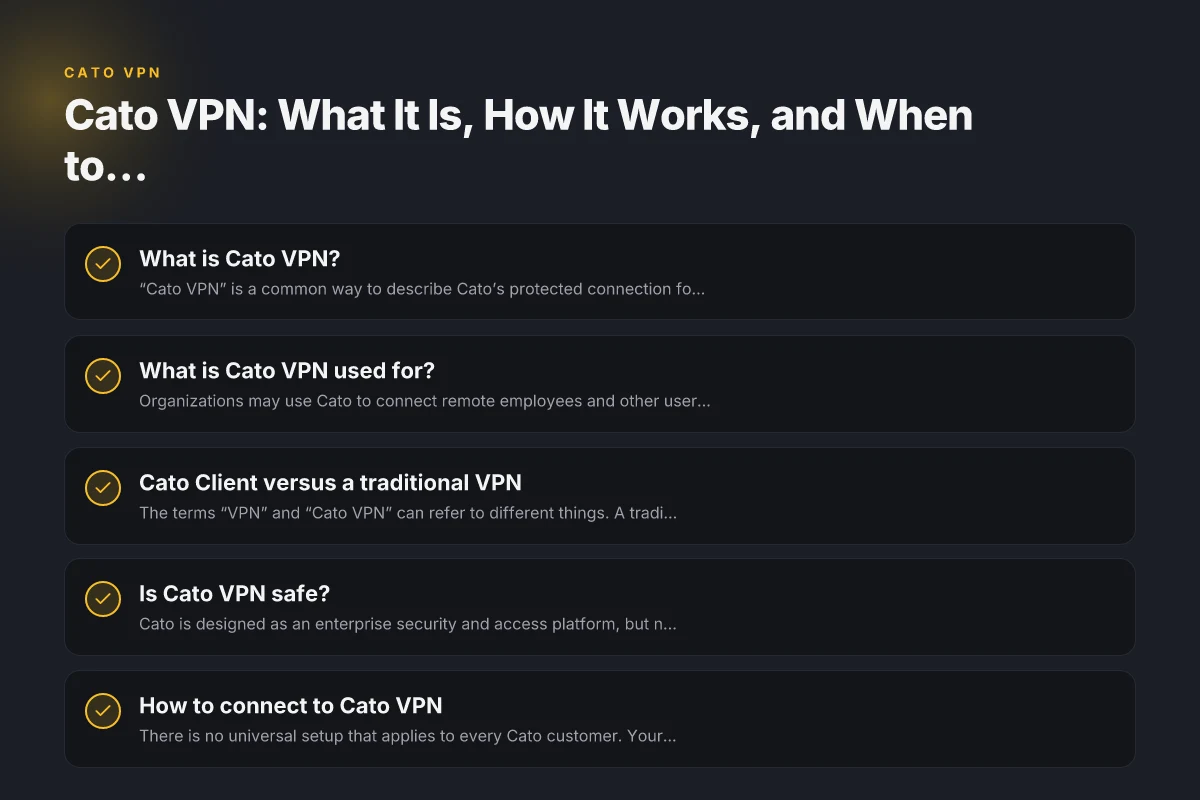
What is Cato VPN?
“Cato VPN” is a common way to describe Cato’s protected connection for remote users, but Cato presents its offering as part of a Secure Access Service Edge (SASE) platform. Instead of focusing only on creating a private tunnel into an office network, the platform is designed to provide secured, optimized access to enterprise resources.
The Cato Client is a lightweight agent that can help users access resources across the internet, SaaS, cloud, and private environments. Cato also offers a browser extension for Zero Trust Network Access (ZTNA) to private web applications. These options serve different access scenarios. An organization’s administrator determines which one applies.
In practice, the service is configured by an employer or other organization. The user’s access may depend on company policies, their identity, device, and the applications they need to use.
What is Cato VPN used for?
Organizations may use Cato to connect remote employees and other users to business resources without relying exclusively on a traditional VPN design. Depending on the organization’s configuration, access can include: Free VPN for Edge: What to Know Before You Install One
- Private company applications and internal services
- Cloud-hosted resources
- SaaS applications
- Internet access subject to organizational security policies
The Cato Client is intended to make this access available from a user’s device. ZTNA means access can be focused on specific applications or resources rather than automatically treating a connected device as if it were inside the entire corporate network. The exact access model depends on how the organization deploys and manages Cato.
This is different from a typical consumer VPN, which is often used by an individual to route personal internet traffic through a VPN provider. Cato is positioned for enterprise networking and security, and its purpose is generally to support an organization’s access and security requirements.
Cato Client versus a traditional VPN
The terms “VPN” and “Cato VPN” can refer to different things. A traditional remote-access VPN commonly provides a tunnel into a corporate network. Cato’s platform is designed to bring network and security capabilities together, with the Cato Client acting as one way for users to connect.
| Feature | Traditional remote-access VPN | Cato approach |
|---|---|---|
| Main purpose | Connect a remote user to a company network | Provide secure access to enterprise resources through a broader SASE platform |
| Access model | Often network-level access, depending on configuration | Can support access to specific resources, including through ZTNA |
| User software | Usually an organization-provided VPN client | Cato Client or, for some private web apps, a browser extension |
| Management | Typically managed by the organization | Configured and managed as part of the organization’s Cato deployment |
| Typical audience | Businesses and their authorized users | Businesses and their authorized users |
This comparison is general rather than a guarantee of how any particular setup works. Both approaches depend on configuration, security policies, and the systems an organization has connected. How to Add or Change a VPN Connection in Windows 11
Choose a Cato VPN use case
| Need | Cato VPN fit | What it enables | Consideration |
|---|---|---|---|
| Remote employee access | Suitable | Access to company resources | Requires organization configuration |
| Secure access across locations | Suitable | Connect users and sites | Depends on deployment |
| Centralized network security | Suitable | Organization-managed policies | Requires administrator oversight |
| Personal browsing privacy | Not its main purpose | Not a consumer privacy service | Consider a personal VPN instead |
| Access to streaming libraries | Not its main purpose | Not designed for location switching | Use a service built for streaming |
| Company-wide network access | Suitable | Connect users to organizational services | Depends on Cato’s fit for the business |
| Managed device access | Suitable | Client-based organizational access | Follow company device policies |
Compiled November 2026; check the provider's site for current details.
Is Cato VPN safe?
Cato is designed as an enterprise security and access platform, but no tool makes a connection automatically safe in every situation. Security depends on how an organization configures the service, manages user accounts and devices, and applies its access policies.
For users, sensible precautions include: Edge VPN: What It Is, How It Works, and Which Option to Choose
- Install the client or browser extension only from a source approved by your organization.
- Follow your company’s instructions for authentication and device setup.
- Keep the client and operating system updated.
- Contact your IT team if a connection prompt, sign-in page, or software request seems unexpected.
- Remember that a company-managed connection may be subject to organizational security controls and policies.
If you are evaluating Cato for a business, ask how it will handle access to private applications, SaaS, cloud resources, and internet traffic. Also confirm how user identities and devices are managed, what administrators can monitor, and how the service fits with existing security requirements. Review the organization’s documentation and contract rather than assuming that every deployment includes the same features.
How to connect to Cato VPN
There is no universal setup that applies to every Cato customer. Your organization’s administrator must provide the correct access method and any required account details.
Typical steps
- Ask your IT or security team whether you should use the Cato Client or the browser extension.
- Get the approved download link and installation instructions. Cato provides a downloads page, but your organization may direct you to a specific package or setup process.
- Install the software on an authorized device.
- Sign in using the organization’s required authentication method.
- Follow any prompts to establish the connection and open the resources you are permitted to use.
If the client fails to connect, check that your device has internet access and that you are following the correct sign-in steps. Then contact your organization’s support team. Administrators may need to check account permissions, device status, or the organization’s Cato configuration. Avoid downloading software from unofficial sites or trying to bypass company access controls.
Assess whether Cato Networks is the right fit VPN Edge: What It Does and How to Choose the Right Option
| Decision factor | Good fit when… | Reconsider when… |
|---|---|---|
| Organization type | You need business network security | You want a VPN for personal use |
| Primary goal | You need secure access to company resources | You mainly want browsing privacy |
| Management | Centralized administration is useful | You do not want organization-managed access |
| User access | Employees need remote connectivity | You only need a simple individual connection |
| Existing setup | Your organization is adopting Cato Networks | You need a standalone consumer VPN |
| Security needs | You want security integrated with network access | You only need basic VPN functionality |
| Deployment | Your organization can configure and support it | You need a service with no business setup |
| Recommendation | Choose it for an organizational Cato deployment | Choose a consumer VPN for personal use |
Compiled November 2026; check the provider's site for current details.
Is Cato Networks the right fit?
Cato may be worth evaluating if an organization wants to bring remote access, networking, and security into a unified platform. A vendor demonstration can help explain how the platform would work in your environment, but the decision should be based on requirements rather than the label “VPN replacement.”
Before choosing it, consider:
- Which users, locations, and devices need access
- Which private, SaaS, cloud, and internet resources must be supported
- Whether access should be network-wide or limited to specific applications
- How the service will integrate with identity and device-management processes
- What the licensing includes and which capabilities are optional
- How migration, user support, and ongoing administration will be handled
Ask the vendor to demonstrate realistic user and administrator workflows, and compare the proposed design with your current access model. Confirm the scope, licensing, responsibilities, and operational impact directly with the vendor and your internal teams. Cisco VPN: What It Is, How to Set It Up, and When to Use It
Recommendation
Treat “Cato VPN” as shorthand for Cato’s business-focused secure access capabilities, not as a consumer VPN product. If you are an employee, use only the connection method and download source provided by your organization. If you are evaluating it for a business, assess the full Cato SASE Platform against your security, access, operational, and licensing requirements before deciding whether it should replace or complement your existing VPN.